Posted in webdev
11:33 pm, January 24, 2019
 

Extending a background image using free transform Photoshop CS5

this method works better usually on more abstract images, but is a good way to fill in space. If you are trying to get a header or banner image to fit. 

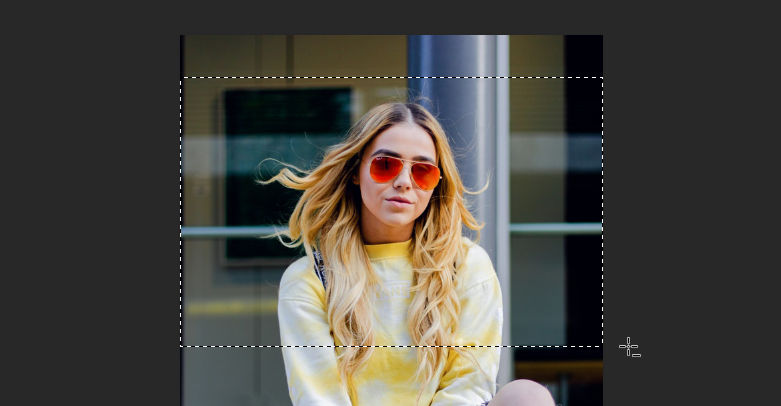
Lets say you have this image and want to stretch the background to fit a horizontal page banner.

Crop the section that you want to use
Copy this bit into a new image that is the width of the banner that you are creating, in this case i will use 1200px.
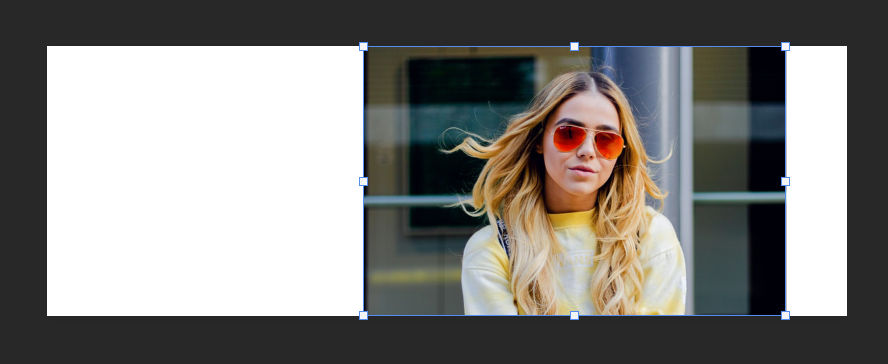
Select 1px width and full height on the left side of the image and copy and paste this into a new layer. 

Press Ctrl + T or access the free transform, when this layer is selected and hold down shift while dragging the selection to cover the white space. 
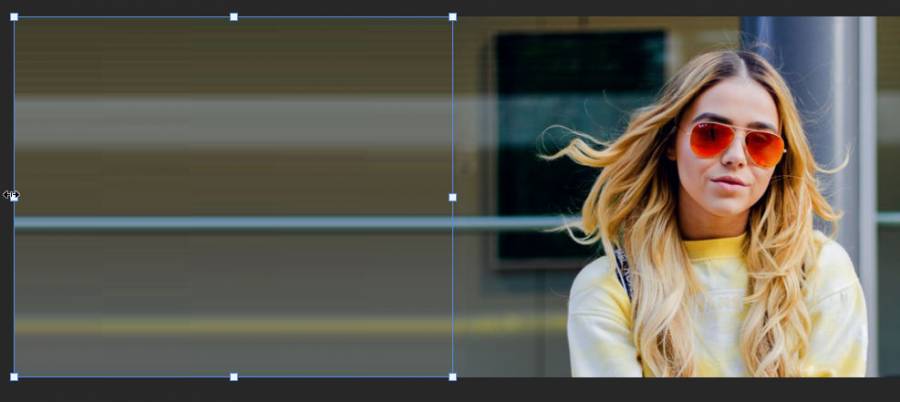
Now repeat this for the other side of the image.

Now we can export this image as a banner ready for use. Here is the final result. 

Sources

https://unsplash.com/photos/CPytUjxWmzA 

View Statistics
This Week
61
This Month
249
This Year
72

No Items Found.

Add Comment
Type in a Nick Name here
 
Search Articles
Search Articles by entering your search text above.
Welcome

This is my test area for webdev. I keep a collection of code here, mostly for my reference. Also if i find a good link, i usually add it here and then forget about it. more...

You could also follow me on twitter. I have a couple of youtube channels if you want to see some video related content. RuneScape 3, Minecraft and also a coding channel here Web Dev.

If you found something useful or like my work, you can buy me a coffee here. Mmm Coffee. ☕

❤️👩‍💻🎮

🪦 2000 - 16 Oct 2022 - Boots
Random Quote
Our brains are wired to find things we are looking for - if your always cynical or waiting for things to go wrong, then your life will reflect that. On the other hand, having a positive outlook on life will bring you joy and provide you with inspiration when you least expect it ☀️🍉🌴
Unknown
Random CSS Property

scroll-padding-top

The scroll-padding-top property defines offsets for the top of the optimal viewing region of the scrollport: the region used as the target region for placing things in view of the user. This allows the author to exclude regions of the scrollport that are obscured by other content (such as fixed-positioned toolbars or sidebars) or to put more breathing room between a targeted element and the edges of the scrollport.
scroll-padding-top css reference

