
Using Node to get a Web Dev Environment with livereload up and running
install node js which comes with npm
run this command in your cmd window
[windows key + r] and type cmd
npm install -g browser-sync
this will install browser sync globally, allowing you to run websites from any directory on your pc
setting up a test site
create a directory in your local machine, for testing files it only really needs to contain an index.html file.
i created mine in D:\code est-webpack (even though its not actually webpack, i already had this one setup ;).
how to actually run the server
now we should have browser-sync installed globally, to run the server we have to use this command to bind it to our local ip address and custom port.
browser-sync start -s -f . --no-notify --host 127.0.0.1
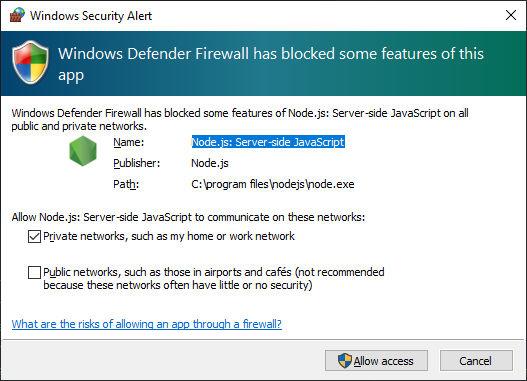
once we run this windows firewall will probably popup and request access, i allow access to every network
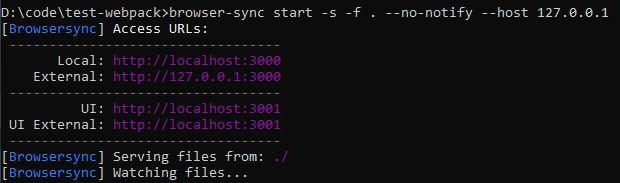
now we can see that browser sync is running
you can now browse to http://localhost:3000/ and you should see your index.html file
if you make any changes in this file browser sync will automatically update the browser so you dont have to keep pressing F5 All the time!
everytime you change the file index.html or any other files under that directory, browser sync will reload the browser with the new files and changes.
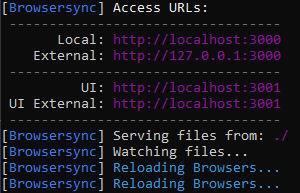
you can see if its working by editing the index.html and saving a change and you should see the blue text saying "Reloading Browsers".
View Statistics
Add Comment
Other Items in windows
Related Search Terms
Other Categories in Code

Random Quote
"Olivia, my eldest daughter, caught measles when she was seven years old. As the illness took its usual course I can remember reading to her often in bed and not feeling particularly alarmed about it. Then one morning, when she was well on the road to recovery, I was sitting on her bed showing her how to fashion little animals out of coloured pipe-cleaners, and when it came to her turn to make one herself, I noticed that her fingers and her mind were not working together and she couldn’t do anything. 'Are you feeling all right?' I asked her. 'I feel all sleepy,' she said. In an hour, she was unconscious. In twelve hours she was dead. The measles had turned into a terrible thing called measles encephalitis and there was nothing the doctors could do to save her. That was...in 1962, but even now, if a child with measles happens to develop the same deadly reaction from measles as Olivia did, there would still be nothing the doctors could do to help her. On the other hand, there is today something that parents can do to make sure that this sort of tragedy does not happen to a child of theirs. They can insist that their child is immunised against measles. ...I dedicated two of my books to Olivia, the first was ‘James and the Giant Peach’. That was when she was still alive. The second was ‘The BFG’, dedicated to her memory after she had died from measles. You will see her name at the beginning of each of these books. And I know how happy she would be if only she could know that her death had helped to save a good deal of illness and death among other children."
I just checked google books for BFG, and the dedication is there.

https://www.google.com.au/books/edition/_/quybcXrFhCIC?hl=en&gbpv=1
Roald Dahl, 1986
